Simple IPTV Smarters Pro setup guides for Android, iPhone, Firestick, Smart TV, Roku, Windows and Mac. Pick your device, follow six steps and you are watching IPTV in Ireland in minutes.
How to set up IPTV Smarters Pro on Roku TV & Streaming Stick
About 10 min6 stepsFree app
On your Roku remote press Home 3 times, Up 2 times, then Right, Left, Right, Left, Right. The Developer Settings screen opens. Note the IP address it shows.
Select Enable installer and restart, accept the agreement and set a password. Your Roku restarts.
On a computer on the same Wi-Fi, open a web browser and type the Roku IP address. Log in with the username rokudev and your password.
Upload the official IPTV Smarters Player for Roku file and select Install. We send you the file on WhatsApp.
The app opens on your TV. Choose Login with Xtream Codes API, then enter the name, username, password and server URL we send you.
Select Add User and start watching live TV, movies and series.
Tip: This is the official side-loaded Roku version of IPTV Smarters Player, so it is not in the Roku Channel Store. Roku allows one side-loaded app at a time.
Every device asks for the same four details. Type them exactly as we send them.
Any name
A label for your playlist, such as IPTV Ireland. It can be anything.
Username
Your personal username. It is case sensitive, so copy capitals exactly.
Password
Your personal password. Check there is no space at the start or end.
Server URL
Starts with http:// and may end with a port number such as :8080. Include both.
Prefer an M3U link?
In IPTV Smarters Pro choose Load your playlist or file URL, select M3U URL and paste the M3U link we send you. Xtream Codes is still the better choice: it loads the TV guide and catch-up automatically.
Check the server URL includes http:// and the port. Retype the username and password with the right capitals.
Buffering or freezing
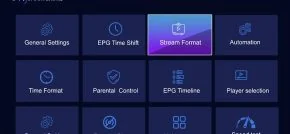
Restart your router and device. Use a cable or 5 GHz Wi-Fi. In Settings, change the stream format to HLS or MPEG-TS.
TV guide is empty
Go to Settings and refresh or update the EPG. Give it a minute to download the guide.
Login works on one device only
That is expected. One login works on one device. For a second device you need a second login.
Channels missing
Pull down to refresh, or log out and back in to reload your playlist with the latest channels.
Stream format, EPG and parental controls are all in Settings.
FAQ
IPTV Smarters Pro setup questions
How do I use IPTV Smarters Pro for the first time?
Install the app, choose Login with Xtream Codes API, then enter the name, username, password and server URL we send you. Select Add User and your channels load.
What is the IPTV Smarters Pro server URL?
It is the address of our server, and it comes with your login details. It starts with http:// and may include a port number such as :8080.
Can I use an M3U link instead of Xtream Codes?
Yes. Choose Load your playlist or file URL and paste the M3U link. Xtream Codes is better because it loads the TV guide and catch-up for you.
How long does IPTV Smarters Pro setup take?
Most devices take four to six minutes. A Firestick takes a little longer because the app is installed with the Downloader app.
Can you set it up for me?
Yes. Message us on WhatsApp with your device type. Free setup help is included with every plan and free trial.
Need help? We will set it up with you
No login yet? Pick a plan or start a free trial. Already have one? Message us and we will guide you step by step.