
Independent IPTV provider for Ireland. Works with the official IPTV Smarters Pro app. Get a free 24-hour trial →

IPTV Smarters vs IPTV Smarters Pro vs Smarters Player Lite : the official apps, and how to avoid fakes

Dozens of apps copy the Smarters name. Here are the real names, logos and screens from WHMCS Smarters, so you install the right app and avoid buffering, ads and unsafe copies.

  • Checked 7 November 2026
  • App Store, Google Play & Samsung
  • Official sources listed
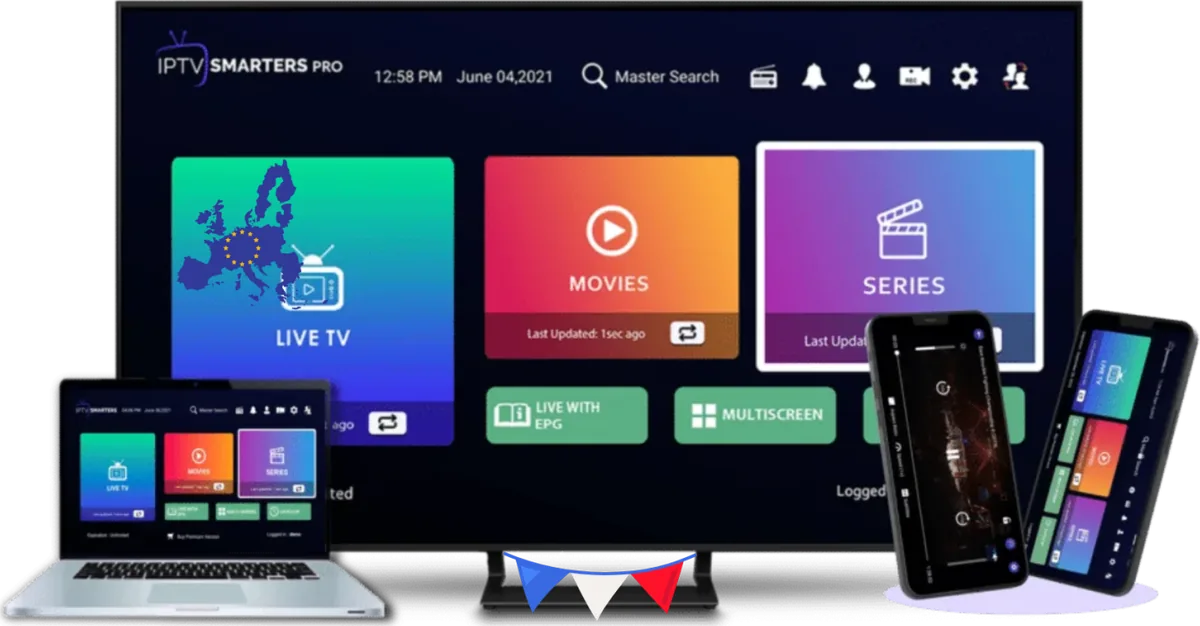
Official IPTV Smarters Pro app on TV, laptop, tablet and phone
IPTV Smarters Pro on TV, laptop, tablet and phone.Source: WHMCS Smarters, official IPTV Smarters Pro artwork

Quick answer

All three names come from one developer, WHMCS Smarters:

  • IPTV Smarters Pro is the main app for Android, Firestick, Samsung TV, Windows and Mac. IPTV Smarters is its older name.
  • Smarters Player Lite is the official app for iPhone, iPad and Apple TV, on the App Store.
  • IPTV Smarters Player is the official name on Roku (side-loaded from the WHMCS Smarters portal) and in the LG Content Store.

All of them are free, empty players. If the developer is not WHMCS Smarters, it is not the real app.

Official apps

The real Smarters apps, with logos and screens

Compare the icon, the name and the developer before you install anything.

Official IPTV Smarters Pro logo
The official IPTV Smarters Pro logo.Source: WHMCS Smarters
IPTV Smarters Pro official app icon
Official

IPTV Smarters Pro

Also known by its older name: IPTV Smarters

Developer
WHMCS Smarters
Devices
Android phones and tablets, Android TV boxes, Amazon Firestick & Fire TV, Samsung Smart TV, Windows PC, Mac

Where to get the real one

  • Samsung Smart TV: the Samsung app store, listed "By: WHMCS Smarters"
  • Android, Android TV, Firestick, Windows and Mac: the official download page, getiptvsmarters.com/download (Downloader code 4622618)
  • Not on Google Play: the official listing now returns "Not Found"
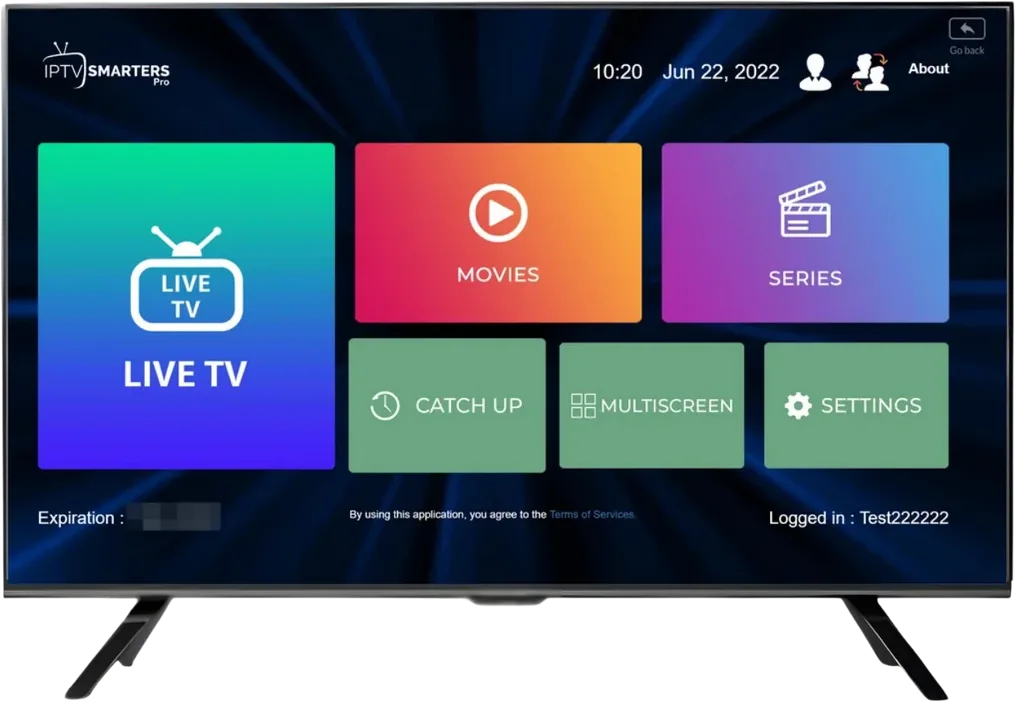
Official IPTV Smarters Pro home screen with Live TV, Movies, Series, Catch Up, Multiscreen and Settings
The real IPTV Smarters Pro home screen: big Live TV tile, Movies, Series, then Catch Up, Multiscreen and Settings.Source: WHMCS Smarters, official IPTV Smarters Pro artwork
Firestick guide →
Smarters Player Lite official app icon
Official

Smarters Player Lite

The official Smarters app for Apple devices

Developer
WHMCS SMARTERS
Devices
iPhone, iPad, Apple TV (and Apple silicon Mac)

Where to get the real one

  • Apple App Store, seller "WHMCS SMARTERS"
  • Available in the Irish App Store (version 1.4.2 on 7 November 2026)
  • Free, with an optional $1.99 premium upgrade inside the app
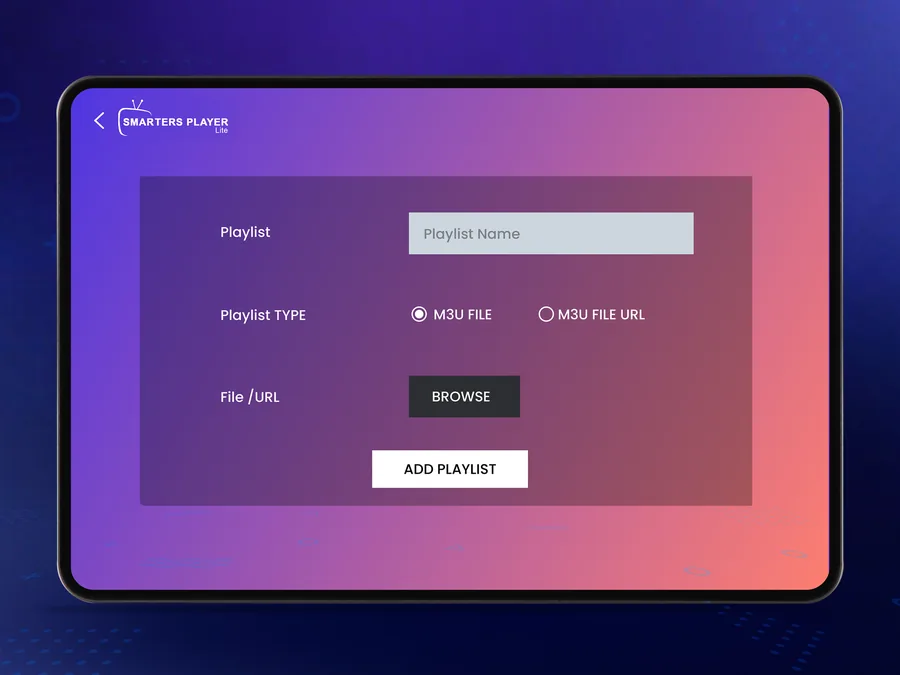
Official Smarters Player Lite add playlist screen on iPad
Smarters Player Lite on iPad: the official add-playlist screen.Source: Apple App Store listing of Smarters Player Lite (WHMCS SMARTERS)
iPhone & Apple TV guide →
Official

IPTV Smarters Player

The name used on Roku and in the LG Content Store

Developer
WHMCS Smarters
Devices
Roku TV and sticks (side-loaded), LG Smart TV (LG Content Store)

Where to get the real one

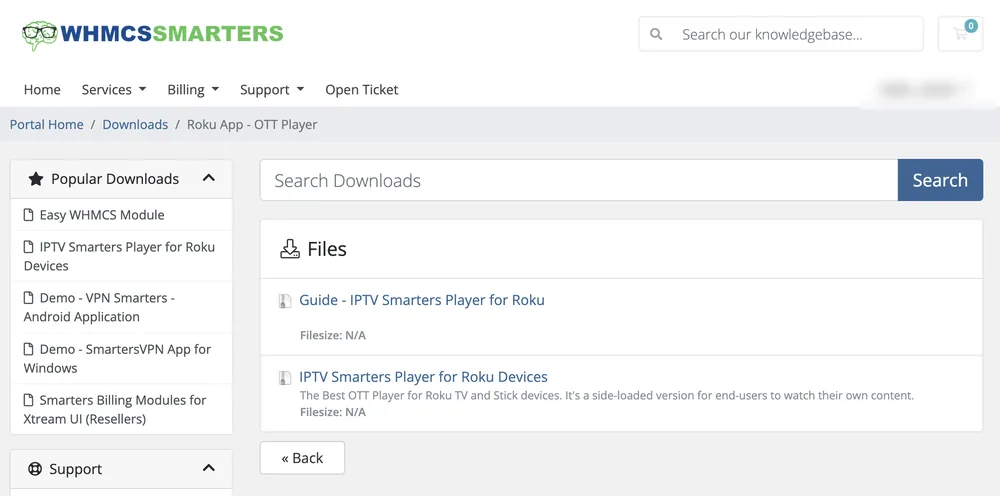
  • Side-loaded on Roku from the official WHMCS Smarters portal
  • Not a regular Roku Channel Store search result
  • Ask us and we send the official file and guide
WHMCS Smarters portal downloads page listing IPTV Smarters Player for Roku Devices
The official WHMCS Smarters portal lists "IPTV Smarters Player for Roku Devices" as a side-loaded app.Source: WHMCS Smarters client portal, Downloads › Roku App (screenshot, account name hidden)
Roku guide →
Smarters Player Lite

What the real Smarters Player Lite looks like

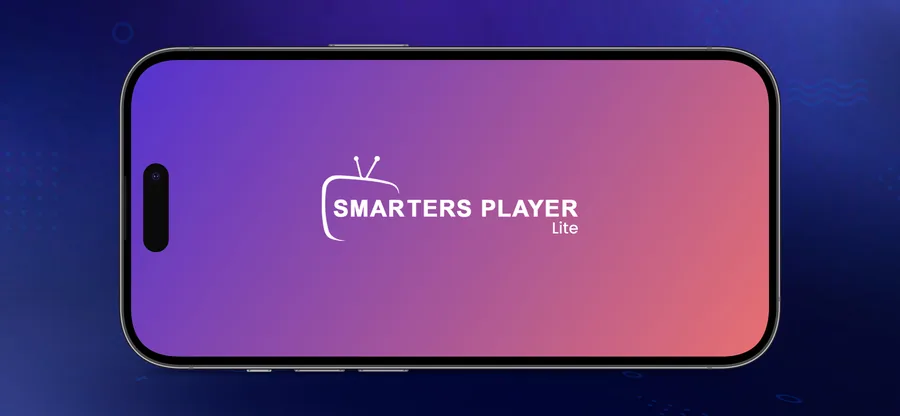
Screens from the official App Store listing. The start screen shows "SMARTERS PLAYER Lite" with the TV-and-antenna logo.

Official Smarters Player Lite start screen on iPhone
iPhone: start screen.Source: Apple App Store, Smarters Player Lite by WHMCS SMARTERS
Official Smarters Player Lite video player on Apple TV
Apple TV: the video player.Source: Apple App Store, Smarters Player Lite by WHMCS SMARTERS
Comparison

IPTV Smarters Pro vs Smarters Player Lite vs IPTV Smarters Player

Official appIPTV Smarters ProSmarters Player LiteIPTV Smarters Player
DeveloperWHMCS SmartersWHMCS SMARTERSWHMCS Smarters
Main devicesAndroid, Firestick, Samsung TV, Windows, MaciPhone, iPad, Apple TVRoku, LG Smart TV
Where to get itgetiptvsmarters.com, Samsung app storeApple App StoreOfficial portal (side-load)
On Google Play?No (listing "Not Found")––
Price of the appFreeFree, optional $1.99 upgradeFree
Includes channels?No, you add a loginNo, you add a loginNo, you add a login
Works with our login
Fake and lookalike apps

We checked the app stores. Most "Smarters" apps are not official.

Results for searches in the Irish stores on 7 November 2026.

29apps with "Smarters" in the name on the Irish App Store for "iptv smarters"Only 1 is from WHMCS SMARTERS: Smarters Player Lite
13lookalike "Smarters" apps on Google Play Ireland for "iptv smarters pro"0 are from WHMCS Smarters. The official listing returns "Not Found"

How to spot a fake Smarters app

  1. 1

    Check the developer name

    The real apps are published by WHMCS Smarters (shown as "WHMCS SMARTERS" on the App Store). Any other developer name means it is not the original.

  2. 2

    Look closely at the spelling

    Copies use names like "Smarters IPTV Pro", "IPTV Smarters Player Lite Pro" or even lPTV, with a small L in place of the capital I.

  3. 3

    Be careful on Google Play

    The official IPTV Smarters Pro listing on Google Play returns "Not Found". An app there calling itself IPTV Smarters Pro is from someone else.

  4. 4

    Watch out for paid subscriptions inside the app

    The official apps are free players. Weekly or lifetime "premium" plans and full-screen ads are a common sign of a copy.

  5. 5

    Never install a random APK or Downloader code

    Some Downloader codes shared online open "mod" APKs or files on anonymous file-sharing sites. Get the official file only from getiptvsmarters.com/download, or with Downloader code 4622618, which opens that file.

  6. 6

    No app gives free channels

    Every real Smarters app comes empty. An app that promises free TV out of the box is not the official one.

FAQ

Official Smarters apps: questions

Are IPTV Smarters, IPTV Smarters Pro and Smarters Player Lite the same app?

They come from the same developer, WHMCS Smarters. IPTV Smarters Pro is the main app for Android, Firestick, Samsung TV, Windows and Mac; IPTV Smarters is its older name. Smarters Player Lite is the official version for iPhone, iPad and Apple TV, and IPTV Smarters Player is the name used on Roku and LG Smart TVs.

Is Smarters Player Lite official?

Yes, when the seller is "WHMCS SMARTERS". On 7 November 2026 it was available in the Irish App Store. Other apps called "IPTV Smarters Player Lite" or similar are made by other developers.

Is IPTV Smarters Pro on Google Play?

No. When we checked on 7 November 2026, the official Google Play listing returned "Not Found". Apps on Google Play using the Smarters name are from other developers.

How do I know if my Smarters app is fake?

Check the developer name. If it is not WHMCS Smarters, it is not the official app. Unusual spellings, in-app subscription plans and lots of ads are other warning signs.

Which Smarters app should I use?

Firestick, Android, Samsung TV, Windows or Mac: IPTV Smarters Pro. iPhone, iPad or Apple TV: Smarters Player Lite. Roku and LG Smart TV: IPTV Smarters Player. Our login works in all of them.

Do the official apps include channels?

No. All Smarters apps are empty players. You add the login from your IPTV subscription, and the channels, movies and series appear.

Sources and references

We checked each store on 7 November 2026. App names, logos and screenshots belong to their owner, WHMCS Smarters, and are shown only to help you identify the official apps.

  1. Smarters Player Lite on the App Store (seller: WHMCS SMARTERS)
  2. WHMCS SMARTERS developer page on the App Store
  3. IPTV Smarters Pro on the Samsung Smart TV app store (by WHMCS Smarters)
  4. IPTV Smarters official download page (the developer website linked from the App Store listing)
  5. Samsung TV USB installation, official page
  6. WHMCS Smarters client portal: Downloads › Roku App (login required)
  7. Former Google Play listing com.nst.iptvsmarterstvbox (now returns "Not Found")

IPTV Smarters Pro is a trademark of its owner. We are an independent IPTV provider and are not affiliated with IPTV Smarters or WHMCS Smarters.

Use the real app with a service that works

Install the official app, add our login and watch. Free trial for up to 24 hours.